
Premium Parking
Premium ParkingMaps & Navigation
4.2509.00 Reviews
- Version
- 5.3.4
- Installs
- 500.00K
- Age Rating
- Everyone
Screenshots
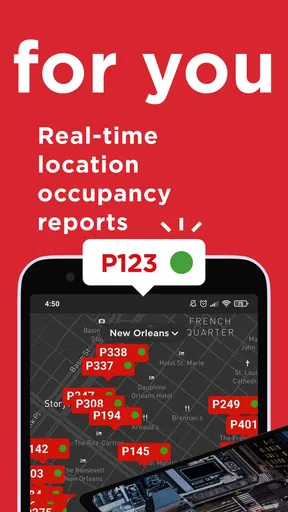
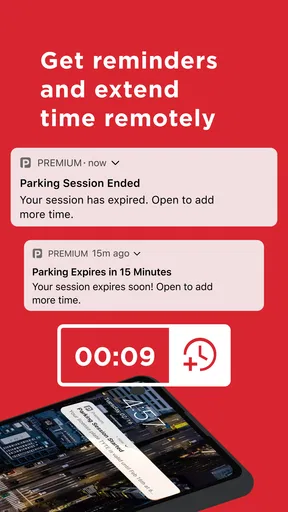
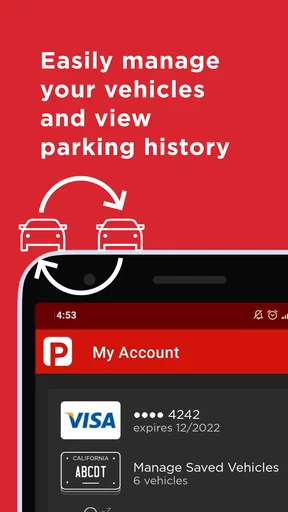
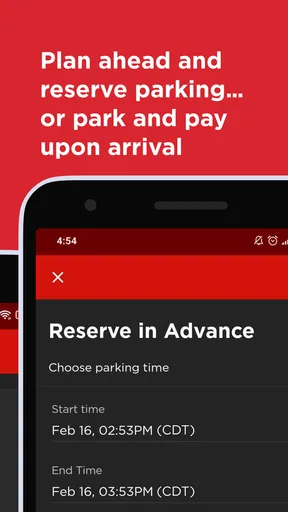
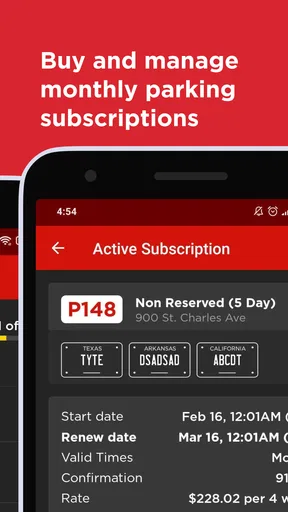
Our Review of Premium Parking
 Analysis by Appyee
Parking apps are easiest to appreciate when you are already late, carrying bags, or trying to coordinate several people around the same car. I tested Premium Parking with that kind of everyday pressure in mind, rather than treating it as another map application. Its purpose is narrower and more practical: it is a free parking-payment app from Premium Parking, designed for use on the company’s lots. That focus makes it useful in the right place, but it also means you should understand its boundaries before relying on it.
My first impression was that this is not meant to replace a full navigation service. It does not need to guide me through an entire trip or help me compare every parking provider in a city. Its value begins when I arrive at a participating Premium Parking location and need to handle payment without searching for a machine or keeping coins ready. In that situation, the app can turn a small but annoying task into something I complete from my phone.
The app sits in the Maps & Navigation category, although I think of it more as a focused parking utility than a general navigation tool. It has been available since January 6, 2015, and the current version is 5.3.4. That long presence matters to me because parking payment is not an area where I want to experiment with an unfamiliar tool every time I visit a lot.
How Premium Parking works in a shared household
The most useful household scenario is simple: one person drives, another person is watching the children, checking directions, or handling an appointment, and nobody wants to stop at a payment machine. The driver can use the app while parked, while a partner or trusted passenger can help check the lot information or confirm that the payment step has been completed. That division of attention is often more valuable than the payment itself.
I would not treat it as a family account or a shared wallet, because the app should be approached as an individual parking tool unless its own current screens clearly support something more. If several people in a household use the same car, the practical approach is to agree in advance on who normally handles parking. That avoids the awkward situation where two people assume the other person paid.
Shared-device use also deserves a little care. If a phone is passed between adults, I would check whose account or payment details are active before beginning a session. A parking app is connected to a real-world vehicle and a real-world location, so casually handing over a logged-in phone can create confusion. The safest routine is for the person responsible for the car at that moment to complete the transaction and then return the device.
For a household with occasional visitors, Premium Parking can still be convenient, but I would explain the workflow rather than simply saying, “Use this app.” The visitor needs to know that the app is specifically associated with Premium Parking lots and is not a universal way to pay everywhere. A quick reminder to inspect the lot signage before starting is more useful than assuming the app will identify every nearby space automatically.
What setup feels like before the first parking session
The initial setup is best done at home, not while standing beside a busy street. I prefer installing the app, opening it, and becoming familiar with the payment flow before I need it. That gives me time to understand what information it asks for and to make sure the phone is ready for use without a queue of cars or impatient passengers waiting.
Because this is a payment-focused app, I would keep the setup boundary clear: only enter details on the device and account that the actual driver is comfortable using. On a shared tablet or family phone, I would avoid leaving payment-related information available to every person who can unlock the device. This is not a criticism unique to Premium Parking; it is simply the sensible way to manage any app used to pay for parking.
Another useful habit is to confirm the lot before paying. Parking areas can be close together, and a hurried tap on the wrong location could create unnecessary trouble. I would read the lot number or identifying information shown on the signs and compare it with what appears in the app. That small pause is one of the most important practical checks, especially when a household member is paying on behalf of the driver.
The app is free to install, which lowers the barrier for occasional users. It is rated for Everyone, so its basic audience is broad, but that should not be confused with independent use by young children. A child may be able to open an app, yet parking payment still involves adult judgement, vehicle details, and financial responsibility. In my view, it belongs with the adult who is managing the trip.
Coordinating payment when more than one person is involved
Premium Parking becomes more useful when a household agrees on a short coordination routine. The driver can announce the lot, the passenger can open the app, and both can verify the location before payment is submitted. Once the transaction is complete, the passenger can tell the driver clearly rather than assuming the driver saw the confirmation screen.
This matters during events, appointments, and shopping trips where people split up after arriving. If one person leaves the car to meet someone else, the remaining passenger should know whether payment has already been handled. I would not rely on memory alone. A spoken confirmation or a quick look at the app’s current status prevents the familiar household problem of two people paying separately or nobody paying because each expected the other to do it.
The same approach helps when one person has a better phone connection or more comfort with mobile payments. The person who normally drives does not have to be the person who operates the app. What matters is that the right lot and vehicle information are checked, and that the person responsible for the car knows the payment has been made.
There is a trade-off here. A shared workflow can be faster, but it also introduces dependence on another person. If the passenger takes the phone and walks away, or if the driver assumes the passenger finished without checking, the convenience disappears. For that reason, I see Premium Parking as a good coordination tool only when the household keeps the handoff explicit.
Where the app fits better than ordinary alternatives
The usual alternative is a parking meter, payment kiosk, or a general navigation app that helps locate a car park but does not necessarily handle the payment. Premium Parking has a narrower advantage: when the lot is part of its network, I can focus on completing the parking transaction instead of searching for coins, walking to a machine, or opening a broad navigation app and hoping it supports the location.
That specialization is also its main limitation. I would not install it expecting a complete citywide parking directory or a replacement for turn-by-turn directions. If I am still deciding where to park, a general maps service may be more useful for comparing destinations and routes. Once I am at a Premium Parking lot, however, this dedicated app can be the more direct tool.
Another alternative is paying through a mobile browser or using a sign’s payment instructions. That may work for a one-off visitor who does not want another app on the phone. I prefer the dedicated app when I expect to return to Premium Parking locations, because an installed tool is easier to reach during a rushed arrival. For someone who rarely encounters these lots, the extra setup may not feel worthwhile.
I also would not assume that the app can solve every parking problem. It does not change the physical availability of spaces, remove the need to read signs, or make an unfamiliar lot automatically obvious. The best results come when I use it for what it is: a payment step inside a larger parking routine.
Age, trust, and account boundaries
The Everyone rating makes the app approachable for households, but adults should still decide who is allowed to use it for actual payments. I would be comfortable showing a teenager how the process works while accompanying them, yet I would keep responsibility with the adult whose payment method and vehicle are involved. That distinction is especially important when a family shares a phone or when a child borrows a parent’s device.
Trust also matters between adults. If a partner, friend, or relative pays for parking from their phone, both people should know which vehicle and lot the transaction applies to. I would avoid creating a vague arrangement where one person says they “probably” paid. A clear confirmation is quick, and it prevents a minor convenience from becoming a dispute later.
For older relatives, the app can be easier than a machine if they are already comfortable with smartphones, but it may be less comfortable if they prefer physical controls. I would set it up with them in a calm environment, explain the lot-checking step, and let them practice the sequence without pressure. If they find mobile payment stressful, a kiosk or another familiar method may remain the better choice.
On a family device, I would also pay attention to simple privacy habits: lock the phone when it is not in use, avoid leaving the app open in a public place, and do not let a child use the payment screen as a casual game. These are ordinary precautions, but they become more important when several people share access to one device.
Small habits that make the app more dependable
My first practical tip is to check the lot signage before opening the payment flow. Do not begin with the assumption that the nearest visible Premium Parking sign is the correct one. Confirm the identifying details, especially in dense areas where entrances and lots can look similar.
My second tip is to make the payment routine part of arrival rather than something postponed until the group is already walking away. In a household, the person who stays near the car can handle it immediately while the driver unloads bags or helps passengers. This reduces the chance that everyone remembers the parking task only after the vehicle has been left unattended.
My third tip is to keep the app available before a planned visit. Since Premium Parking is free and has a current version of 5.3.4, I would update it before a busy day rather than discovering an update request at the entrance. I would also make sure the phone has enough battery and a working connection. The app cannot compensate for a dead phone or a device that cannot communicate when payment is needed.
A fourth useful habit is to separate navigation from payment. I use a normal maps app to plan the route and find the destination, then switch to Premium Parking only when I am dealing with the lot itself. That keeps each tool in its strongest role and avoids wasting time hunting through a navigation app for a payment option it may not provide.
Who will appreciate it, and who should skip it
I think Premium Parking is a good fit for drivers who regularly use Premium Parking lots and want a repeatable way to pay. It is also useful for couples, relatives, or friends who already coordinate trips by phone and want one person to handle the parking step while another manages the rest of the arrival.
It is less compelling for someone who almost never encounters these lots, dislikes installing single-purpose apps, or prefers paying with cash or a physical machine. A general navigation app is also the better first choice for a person whose main need is finding parking across many providers rather than paying at a specific network’s location.
Frequent travelers should be especially realistic about its scope. I would keep it as one tool in my travel setup, not as my only parking solution. When moving between cities or visiting unfamiliar facilities, I would still read local signs and be prepared to use the available payment method if the location does not match the app’s intended network.
The app’s audience is already substantial, with over 500 thousand installs, and its average rating is 4.2 from around 2.6 thousand ratings. I read that as a sign that the focused idea works for many people, while not treating the score as proof that every parking visit will be effortless. Parking conditions vary, and the app’s usefulness depends heavily on being at the right kind of lot.
My household verdict
After using it as a practical parking companion, I see Premium Parking as a focused utility rather than an all-purpose travel app. Its strongest moment is the short window after arriving at a participating lot, when I want to pay quickly and get on with the visit. The free price makes it easy to keep available, and the long-running product from Premium Parking feels more dependable than improvising with a different method every time.
My recommendation comes with a clear condition: confirm that the lot supports the service, check the location details carefully, and make one person responsible for completing the payment. Those habits matter more than simply having the app installed. In a shared household, the best experience comes from clear handoffs, sensible account boundaries, and a quick verbal confirmation.
For my own phone, I would keep it if Premium Parking locations were part of my normal routine. I would not recommend it as the only parking app for someone who needs broad coverage or detailed route planning. Used within its proper limits, though, it removes a small point of friction and gives families or travel companions a straightforward way to coordinate who pays. It is most valuable when the lot, the phone, and the responsible adult are all clearly matched before the payment begins.
Verdict
Strengths of Premium Parking
- Find and reserve parking spaces through a simple mobile interface.
- Digital parking sessions reduce the need for cash or physical tickets.
- Location-based search helps identify nearby participating car parks.
- Stored vehicle details make repeat bookings quicker.
- Useful parking information can help plan trips before arriving.
Limitations of Premium Parking
- Coverage depends on participating parking facilities in your area.
- Service fees may increase the final cost of some reservations.
- Availability shown in the app can change during busy periods.
- Some features require location access and a stable internet connection.
- Cancellation or refund conditions may vary by parking provider.
Similar Picks in This Category
View All
Uber - Request a ride
Uber Technologies, Inc.4.7


inDrive. Rides with fair fares
® SUOL INNOVATIONS LTD4.8

Yandex Go: Taxi Food Delivery
Mikromobilnost LLC Belgrade4.8

Bolt: Request a Ride
Bolt Technology4.8

Rapido: Bike-Taxi, Auto & Cabs
Rapido Bike Taxi4.8
Frequently Asked Questions
What is Premium Parking, and how does it work?
Premium Parking is a mobile parking app designed to help drivers find, reserve, and pay for parking at participating locations. After creating an account, you can search for nearby garages or lots, check available options, review pricing and restrictions, and follow the instructions provided for entry and exit. Availability and features may differ depending on the city and parking facility.
Can I reserve a parking space in advance with Premium Parking?
In many supported locations, Premium Parking allows users to reserve a space before arriving. You can select a date, time, and parking facility from the app, then review the total cost and reservation conditions before confirming. However, advance booking is not available at every location, and a reservation may not always guarantee a specific individual space within the selected facility.
How do payments work in Premium Parking?
Premium Parking generally lets you pay through the app using a supported debit or credit card, although the available payment methods can vary by region and facility. Before completing a transaction, check the displayed price, service fees, taxes, and any applicable parking rules. Keep your payment details up to date so active sessions, reservations, or extensions are processed correctly.
Can I cancel or change a Premium Parking reservation?
Cancellation and modification policies depend on the parking location, reservation type, and timing. Some bookings may be canceled before the arrival period, while others can be nonrefundable or subject to a fee. The app normally displays the relevant terms during checkout and in your reservation details. Review those conditions carefully before confirming, especially for event or high-demand parking.
Is Premium Parking safe and reliable for everyday parking?
Premium Parking can make parking more convenient by combining location information, digital payments, and reservation management in one place. Nevertheless, the app does not control every aspect of a parking facility, including security, opening hours, enforcement, or space availability. Always read the facility instructions, verify signs on arrival, protect your account credentials, and contact support or the operator if a problem occurs.
